 Marina DiPonio
Ambient · Underwater
Marina DiPonio
 ≈ Self-Hosted · Solo Build
A self-hosted personal budgeting app · Designed & built end-to-end · Solo
Foreshore replaces the budgeting spreadsheet with something calmer and more honest. Charges arrive from your bank, you sort each one into a category with a tap, and animated water-fill tiles show how full each budget is. It has a coastal aesthetic, a dark-mode-first interface, and a design language built around one rule: the app never pretends to know more than it does.
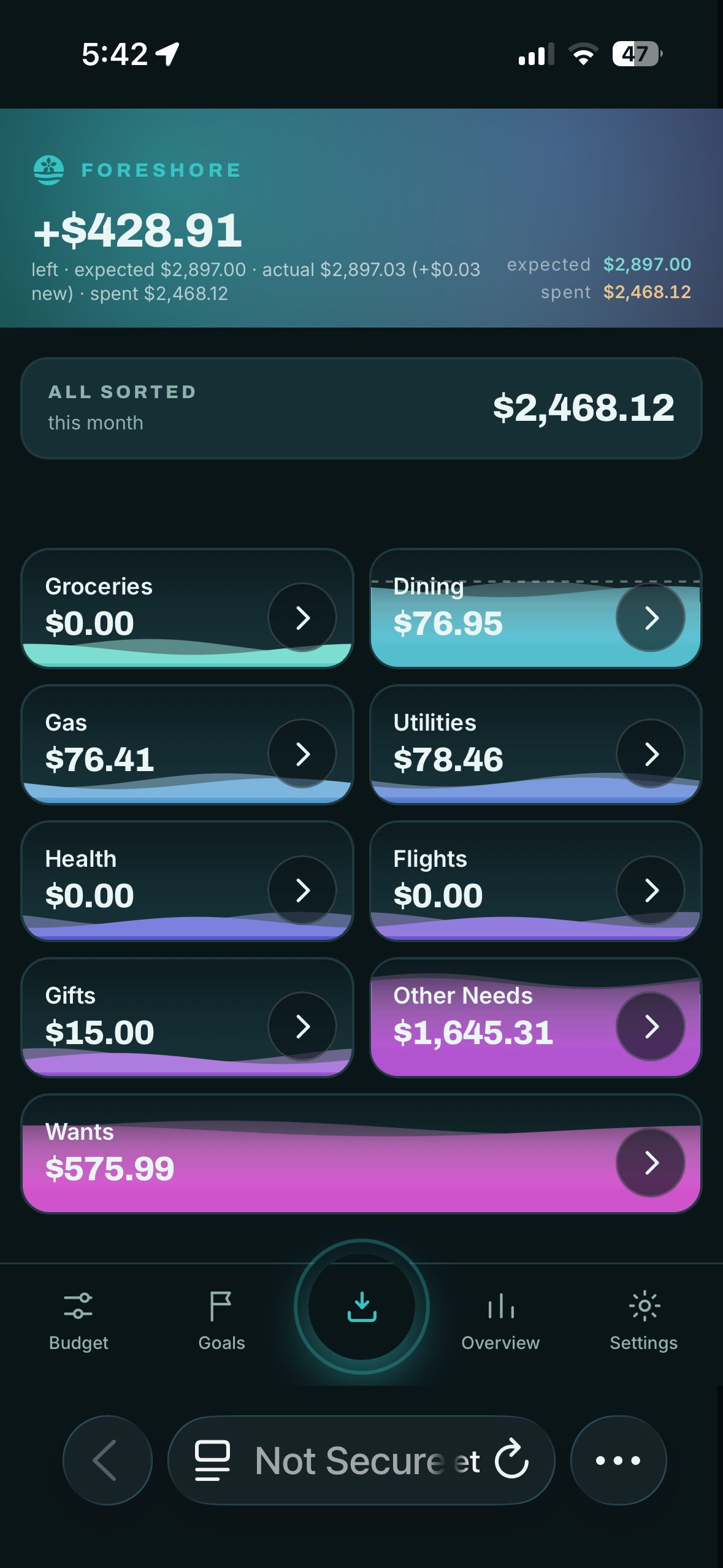
I wanted a budgeting tool I fully owned — my data on my hardware, nothing sold to a third party, no subscription, no ads. So I built the whole stack: the design, the app, and the server it lives on.
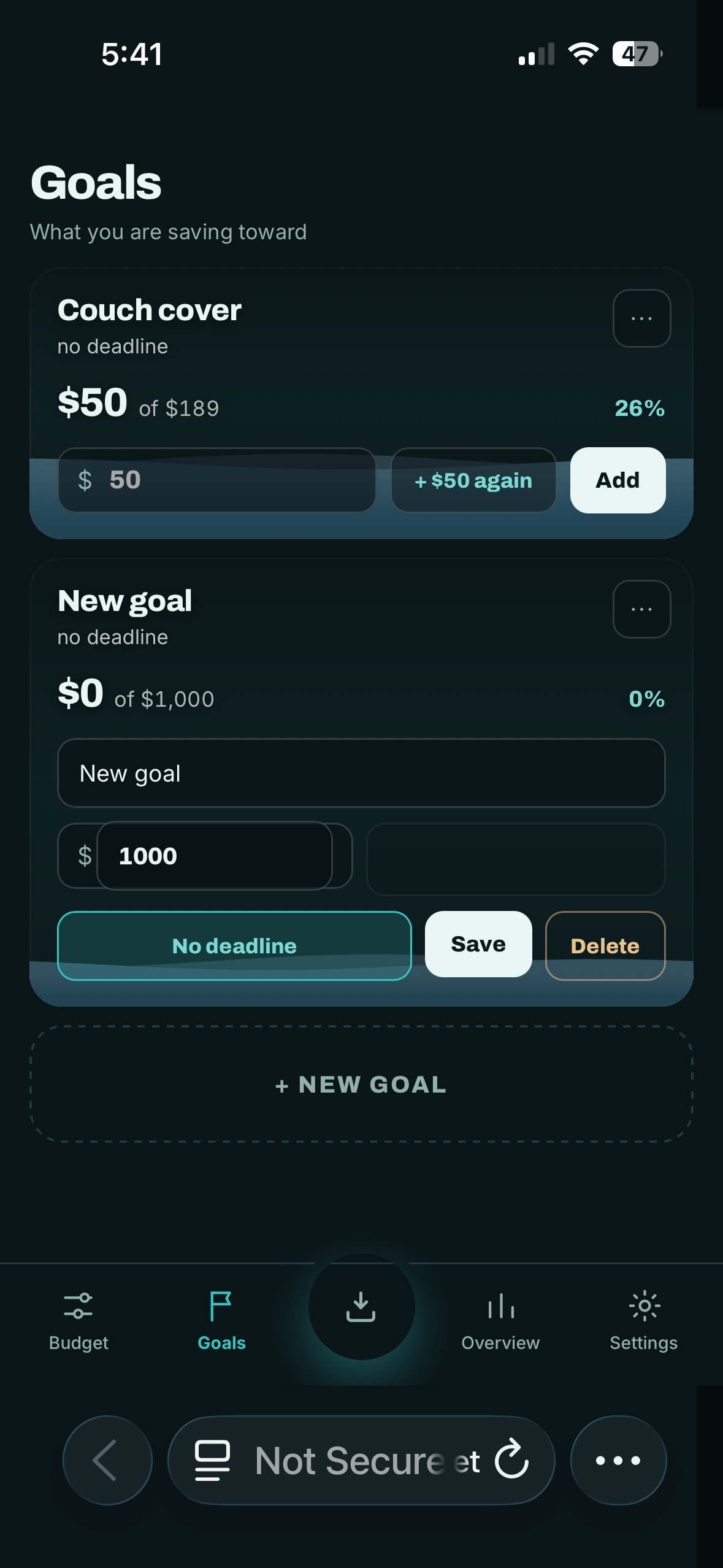
The whole app turns on a single gesture: tap a charge, drop it in a category. Around that sit water-fill budget tiles, a Goals screen with savings targets, an Overview with spending breakdowns, and a Journal.
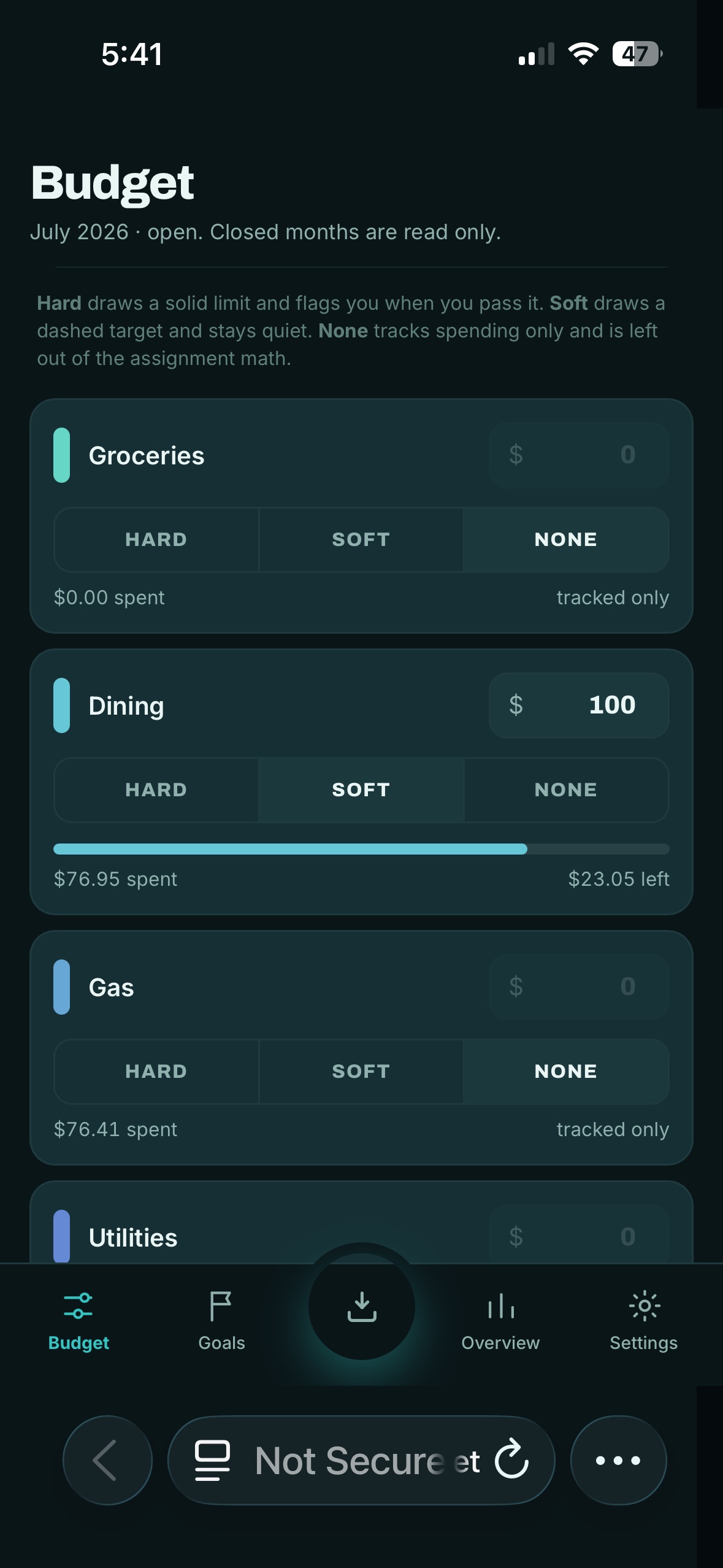
Every category can be a Hard limit that flags you when you cross it, a Soft target that stays quiet, or None that just tracks spending and stays out of the math. The point is to plan without being scolded.
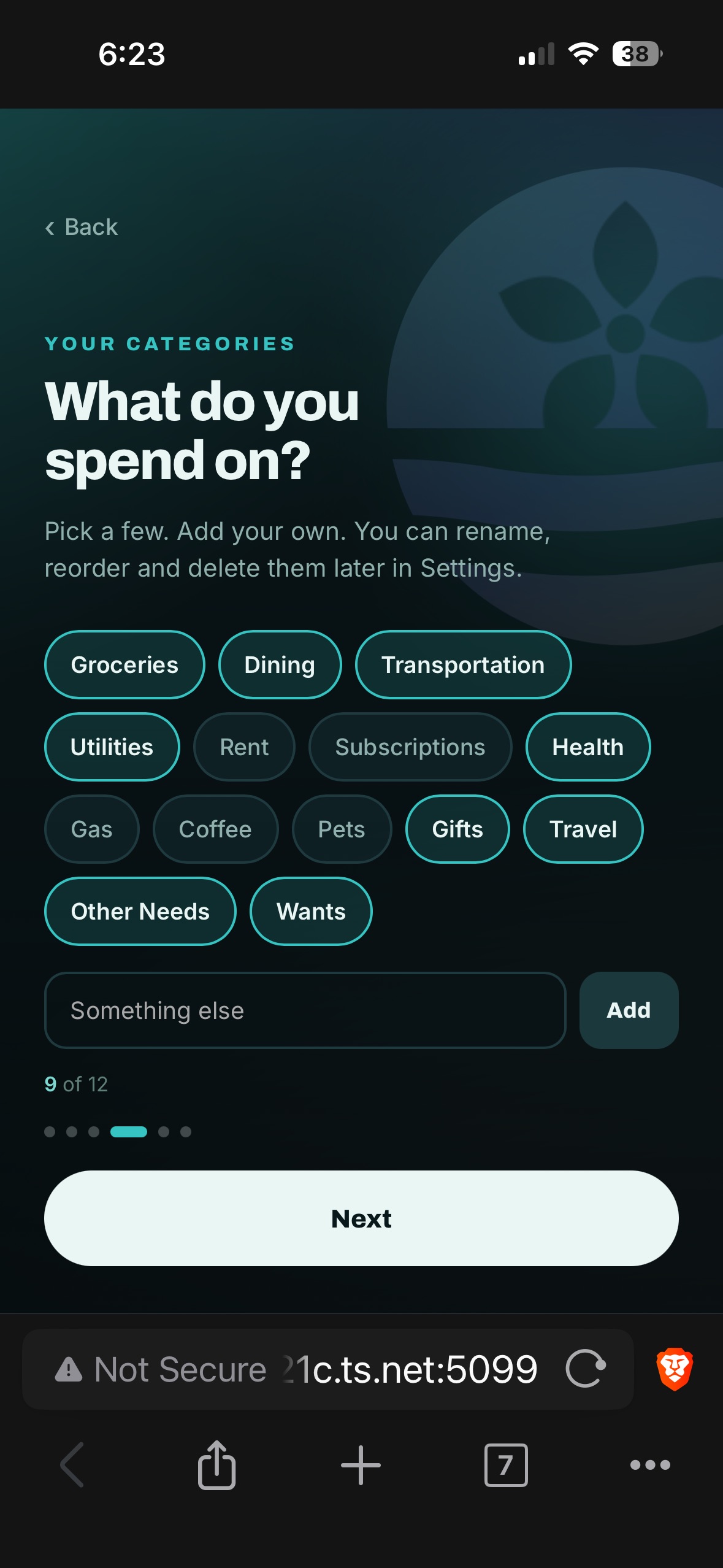
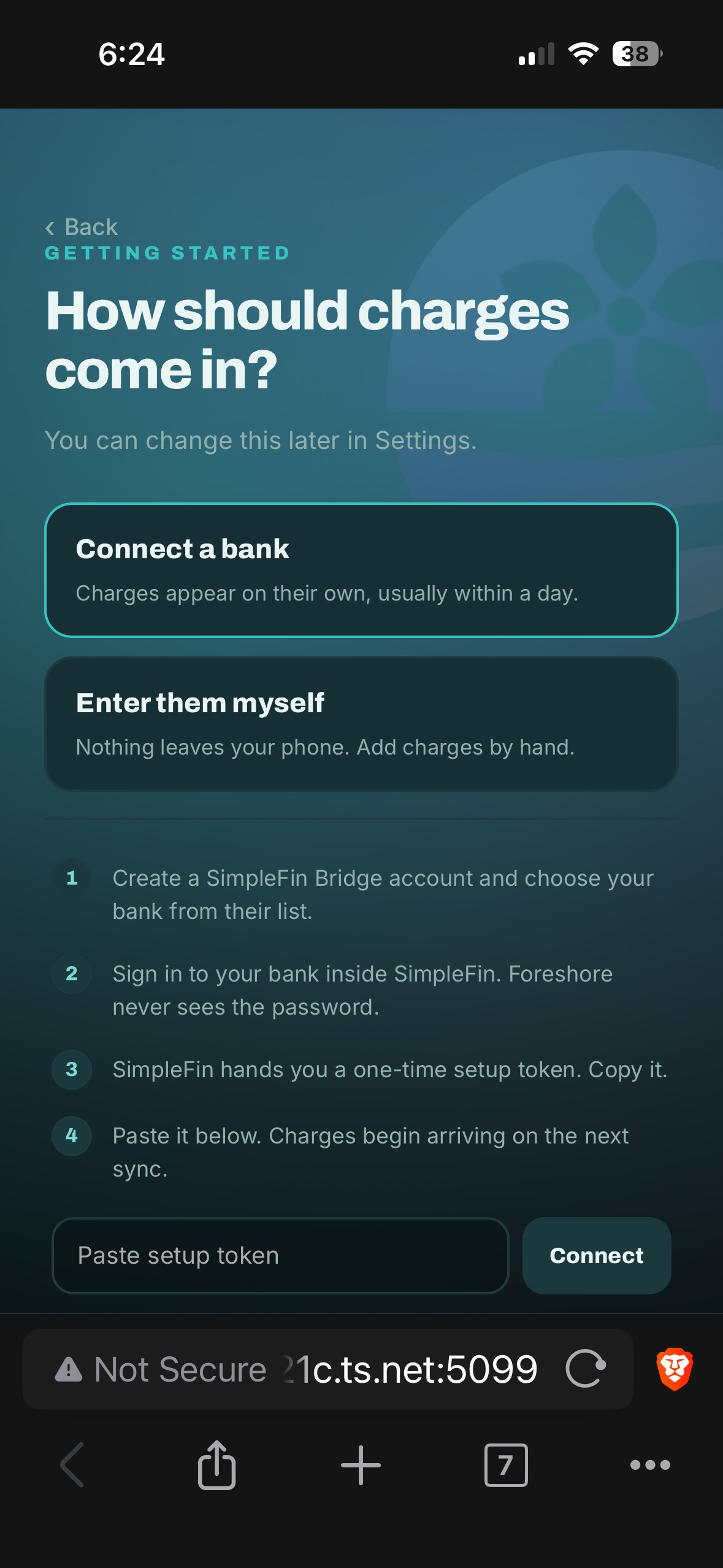
A new person goes from zero to a working budget in six screens — pick a few categories, say what you expect to earn, and choose how charges should arrive.
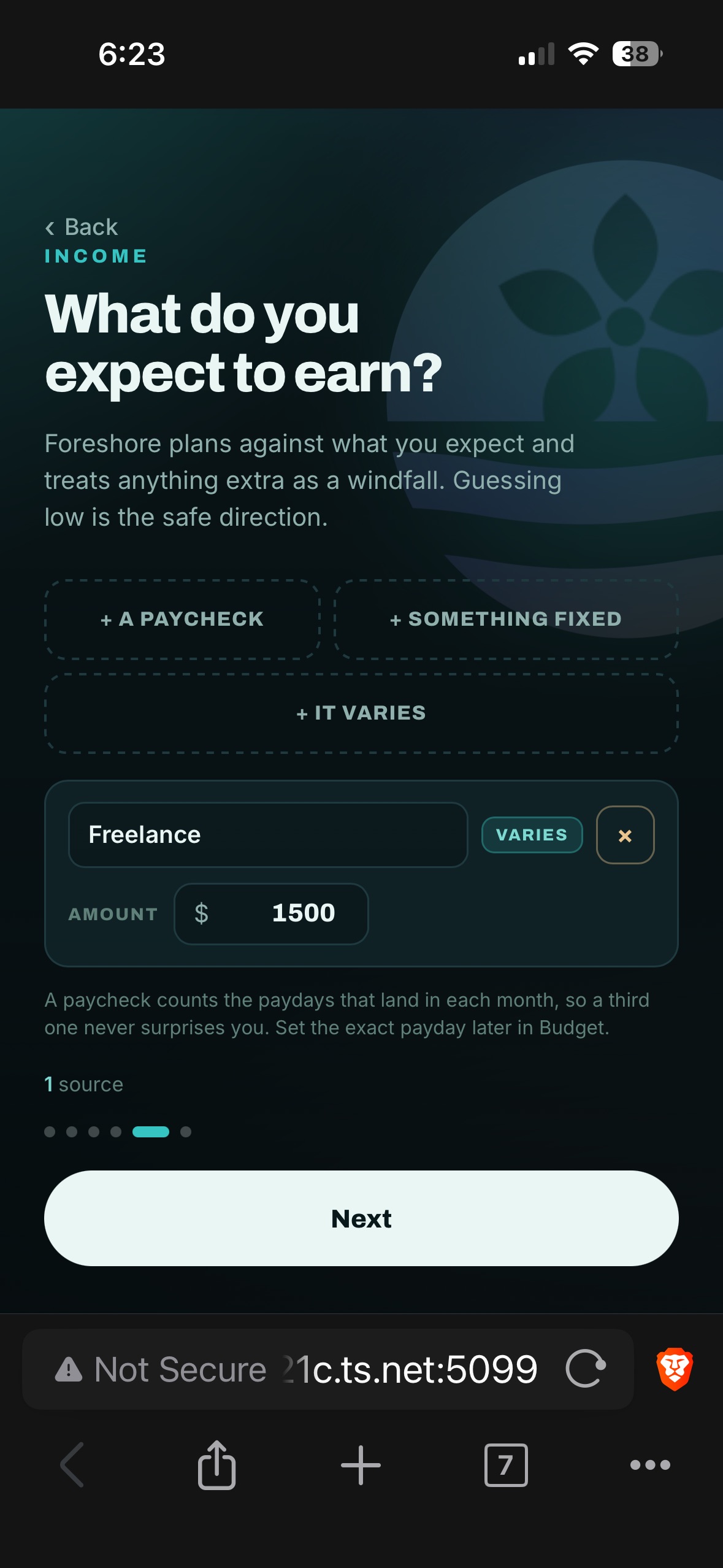
Everything is built on a custom design system in a coastal palette — teal, foam, and sand — dark-mode-first, with colour-coded categories that flow straight into the Sort grid.
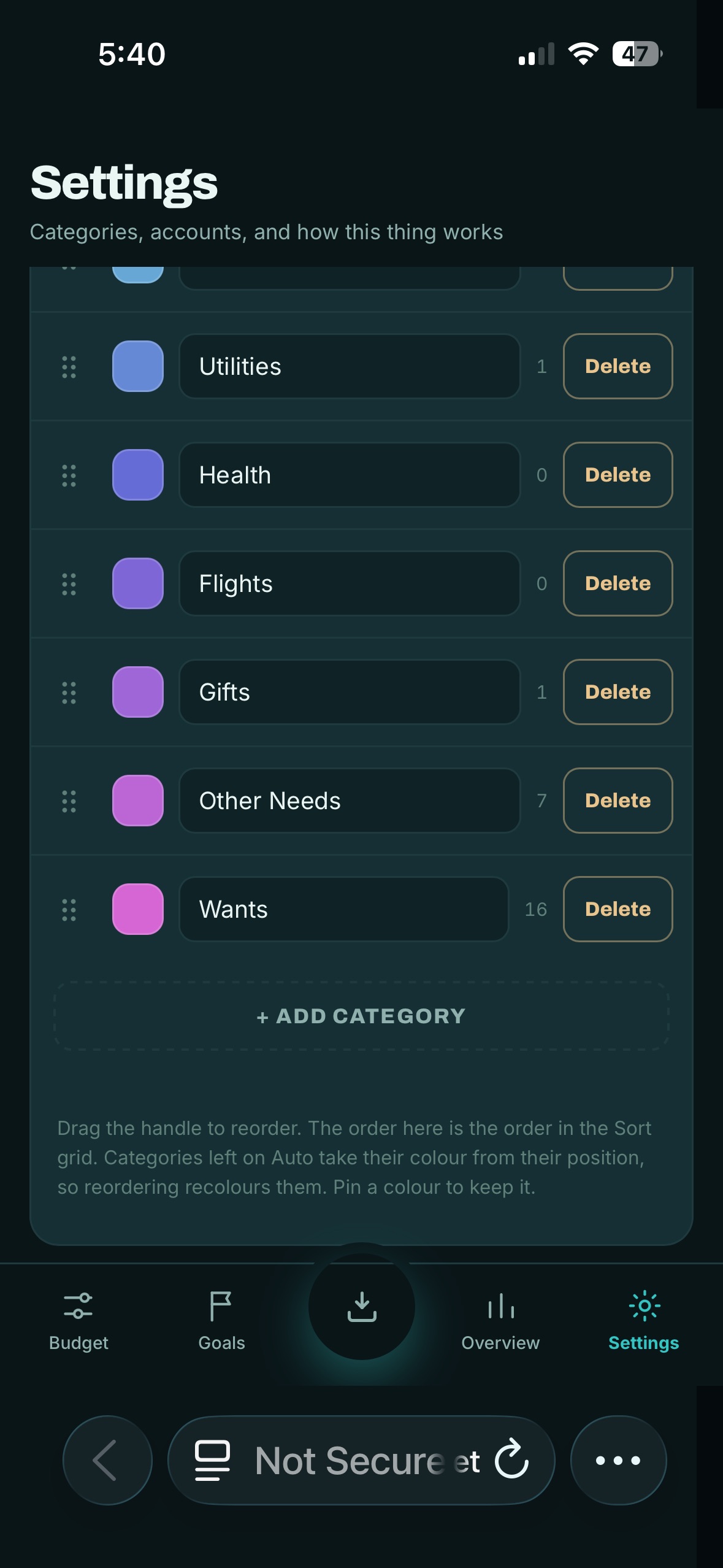
The backend is Node and Express with one firm rule: a write only counts once it's confirmed synced. No phantom saves. It's built on top of Actual Budget's sync engine, so the underlying data is stored encrypted.
Bank sync is optional and one-directional. Through SimpleFin, Foreshore can observe charges but can never move money — and it never sees your bank password.
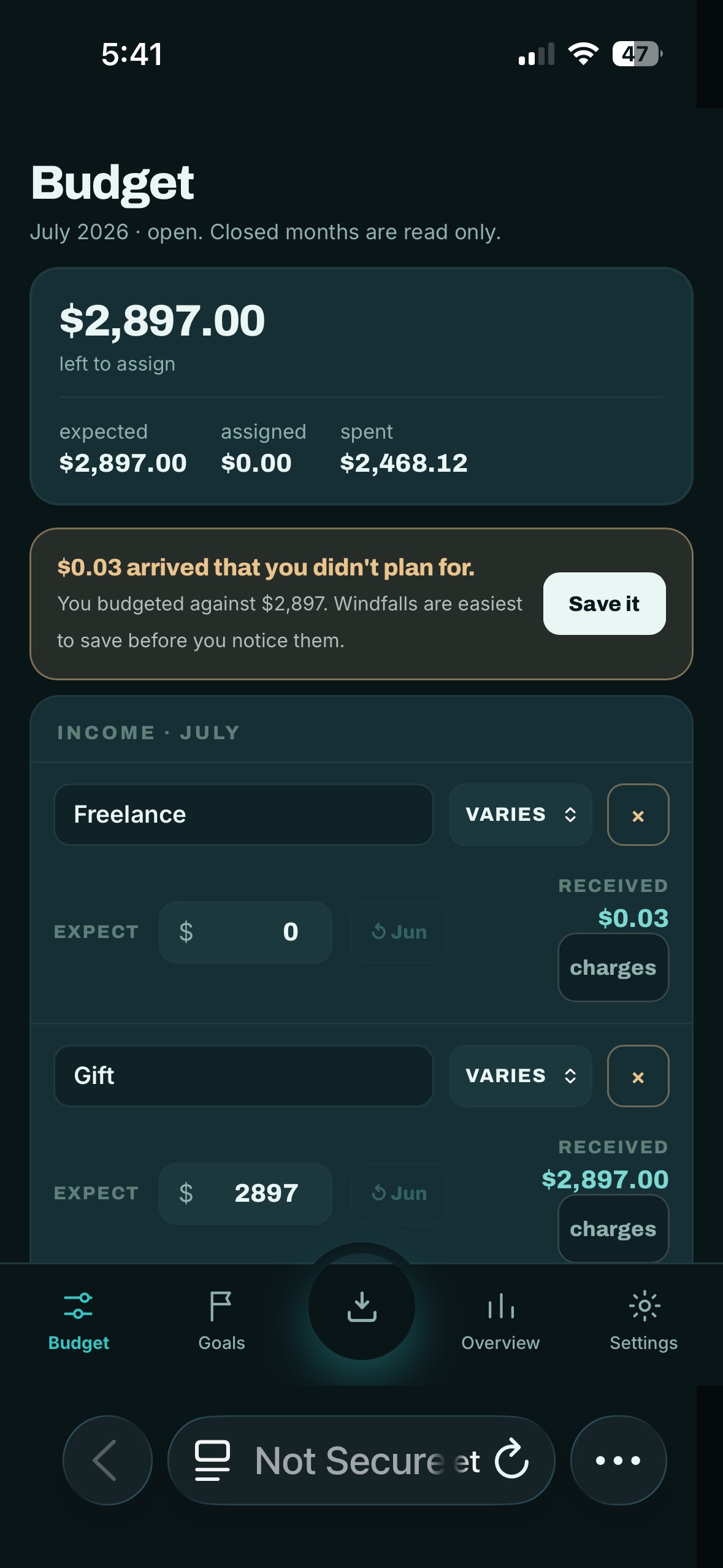
When money is still syncing, the app says so rather than showing a fake number. A small deposit you didn't plan for is surfaced as a windfall — something to save on purpose — instead of being quietly absorbed.
Fonts are self-hosted and the app makes exactly one outbound connection — and only when the user opts into bank sync. The whole thing is containerized with Docker so it can run isolated instances.
The part I'm proudest of: I took a dead desktop, installed Linux on it, and turned it into a private home server — reachable only over a secure mesh network, with no exposure to the public internet.
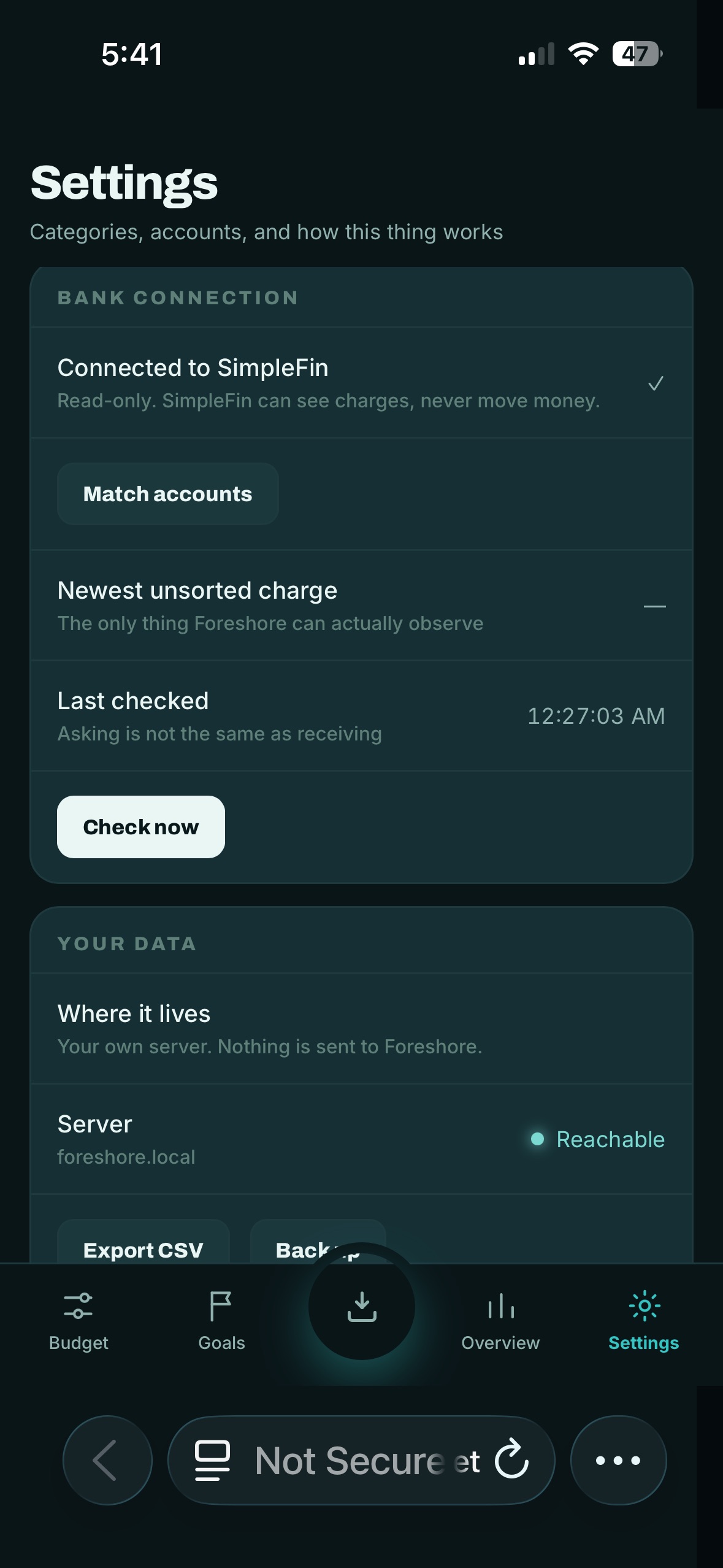
I made it survive power cuts unattended, run isolated instances for different people, and connect to real banks read-only. It's a server I don't have to babysit.
The same honesty runs through the failure states: a read-only mode, a calm "can't reach your ledger" screen, and loading states designed so the app never lies about what it knows.
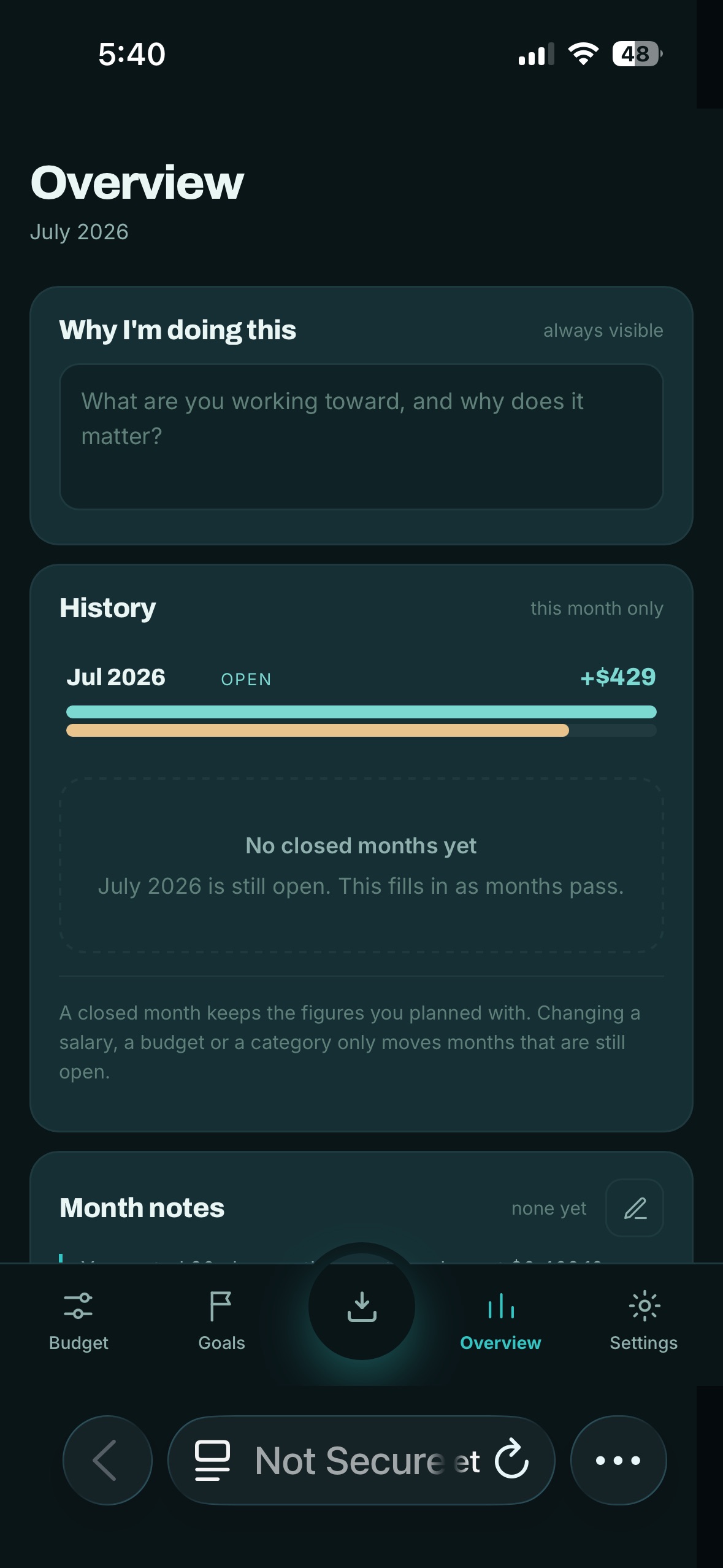
I built Foreshore in October and put it in front of a real second user: my partner Aaron, on his own isolated instance. Watching someone who did not design the app try to use it is where most of the interface changed.
Aaron could use the app, but a few features did not explain themselves. The sorting gesture was obvious to me because I designed it, and quiet to him. I rebuilt those pieces to communicate better: explicit buttons alongside the gesture, and short on-screen instruction so the action is stated rather than inferred. The settings screen got the same treatment.
Setup ran about a minute end to end, except for one step: getting a bank key. It was a copy and paste, and both of us still needed hand-holding through it. That is the step to redesign next, and it is the difference between an app someone can adopt alone and one that needs me sitting next to them.
Before the honest states existed, when a sync stalled neither of us could tell whether the app was broken, slow, or showing stale numbers. The read-only mode, the calm "can't reach your ledger" screen, and loading states that refuse to show a fake total came directly out of that confusion. In a money app, an interface that guesses is worse than one that admits it does not know yet.
It went from a sketch of a water-fill grid to a working app pulling real transactions on my phone — my data, my hardware, no subscription, no ads. I shipped it for friends and family to use.
Foreshore pulled together product and UX design, a design system, front-end engineering, a Node backend, Docker, Linux server administration, networking, working with financial APIs, and a lot of careful debugging on real hardware — end to end, by one person.
Accessibility